The "Let It Go" Workflow: A 15-Minute Newsletter That Grows Your Other Lists 🚀
Stop spending 4 hours on one email. Here's a simple new method to get your newsletter done fast and automatically cross-pollinate your audience.
How long did it take you to send your last newsletter?
If the answer is "too long," you're not alone.
Many of us, including Chad’s significant other, Conny, were spending three or four hours trying to craft the "perfect" email, tweaking link teasers, designing custom blocks, and agonizing over every detail.
This week, Chad delivered a new, urgent message: **"Let it go, let it go, let it go!"**
It's time to break the old habits (even the ones he taught us!) and embrace a new workflow that is faster, simpler, and secretly, even more powerful.
This is the 15-Minute Method. And it’s not just about saving time.
The 15-Minute Method: How to Build Your Newsletter
Your newsletter creation process should take 15 minutes, tops. The *real* work is done in 5-minute chunks during the week.
Here is the entire strategy:
1. Create 4 Local Articles (During the Week)
Your main goal is to create four simple articles for your main local newsletter.
Spy on other newsletters, check local Facebook groups, or set up Google Alerts.
When you see a story (like a missing child or a new business opening), pop into Letterman, use the AI to generate a 350-word article, and hit publish. That's it.
2. Create 1 "Niche" & 1 "Cause" Article (During the Week)
Do the exact same thing for your *other* publications.
Spend 5 minutes creating one article for your "Food" newsletter (e.g., "Vegas Fork") and one for your "Cause" newsletter (e.g., "Save the Doggie").
3. Assemble in 15 Minutes (On Send Day)
This is the entire "build" process:
- Open a new newsletter in Letterman.
- Using the "Article Cue," pull in your 4 local articles. (Click, click, click, click).
- Pull in your 1 food article. (Click).
- Pull in your 1 cause article. (Click).
- Add your weather, Q&A section, and sponsor blocks.
- Click "Approve."
You're done. Your newsletter is finished and scheduled to send.
Conny, who used to spend hours on her newsletter, reported that using this new method, she "got my newsletter out in like 10 minutes."
The Secret Weapon: Auto-Subscribing Your Readers
Now, here is *why* this method is so brilliant. It's not just about saving time.
When Chad told Conny to stop making custom blocks for her food and pet sections, it was for a specific, powerful reason.
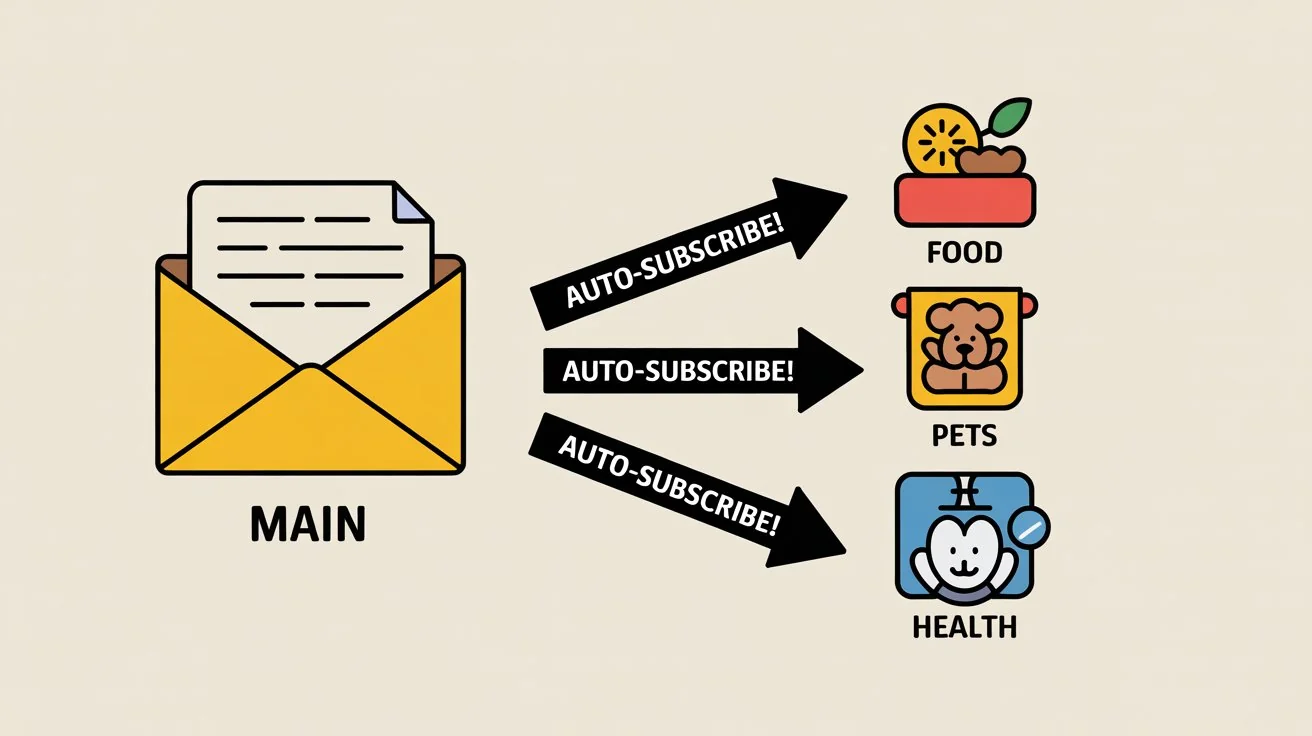
When you use Letterman to pull in an article from one of your *other* publications, you can activate a hidden feature: **Auto-Subscribe.**
Here’s how it works:
An existing subscriber on your main "West Valley Shoutouts" list is reading your newsletter. They see the article you pulled in: "This Dog Needs a Home from Save the Doggie."
The moment they click that link to read the article, Letterman’s system does two things:
1. It takes them to the article. 2. It automatically subscribes them to your "Save the Doggie" newsletter list.
They don't have to fill out a form. They don't have to see a co-registration pop-up. They just showed interest with a click, and you automatically added them to your other, hyper-niche list.
Let Your Main Newsletter Do the Work
This is a massive growth hack.
Your main local newsletter—the one you're running ads for, is now the "feeder" for all your other publications.
You are using your main list to automatically cross-pollinate and build your niche lists, all at the same time, with no extra effort.
You're growing your food list. You're growing your pet list. You're growing your health list.
This is why you must "let it go." Stop trying to be perfect. The new goal is to be fast, be consistent, and let the *system* do the heavy lifting for you.

0 Comments
Join the conversation
Be the first to comment
Share your thoughts above.