
Global Control: one purchase, everything fires |
From this week’s Tech call: wire source and interest tags so a single purchase unlocks programs, triggers emails, and keeps follow-ups clean. Short setup, examples, and quotes inside. |
Most chaos comes from hand-holding buyers after checkout.
You paste links. You remember who gets what. You forget something.
The inbox fills with “where’s my access?”
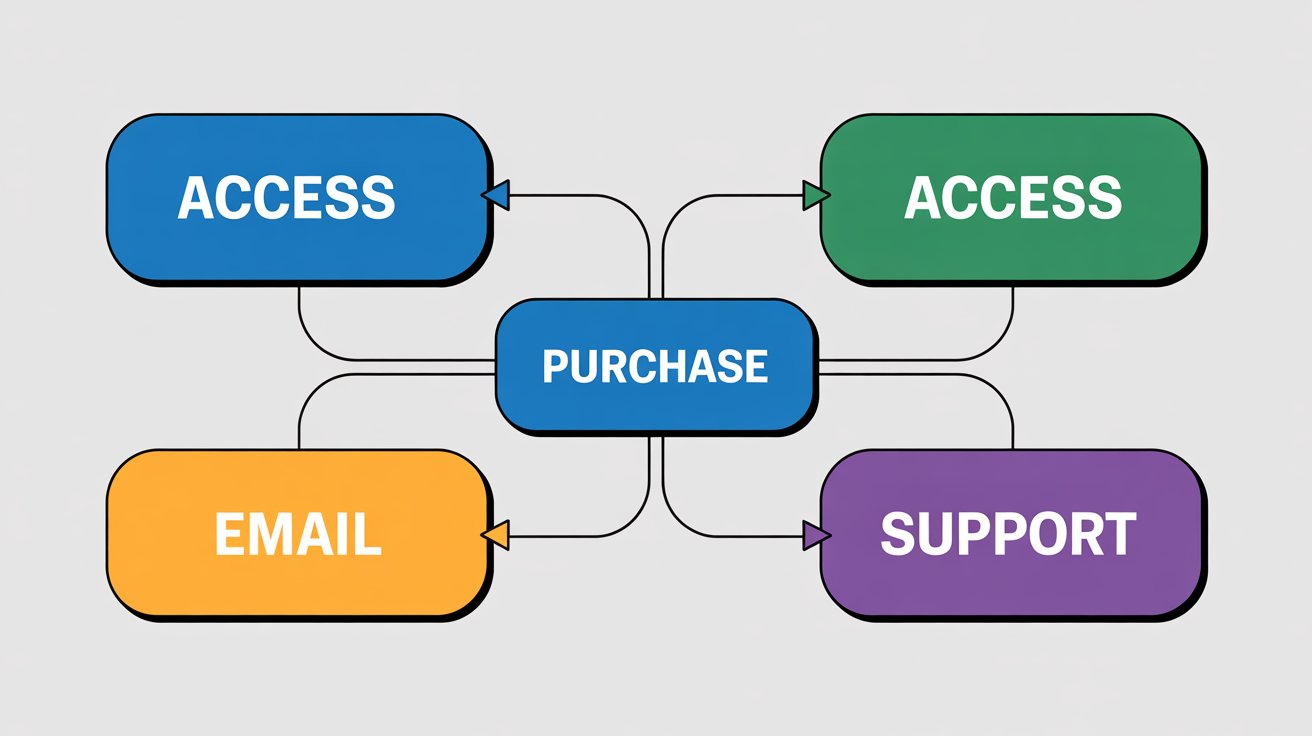
This week on the Titanium Tech call, Chad showed the opposite. One purchase. One tag. Everything fires by itself. Access granted. Programs unlocked. Onboarding emails sent. That is the promise of Global Control when you set your rails.
Here is the picture. A person buys your Mastermind or a small product. Checkout lands. GC adds a product tag. That single tag flips on the right workflows. Course Sprout access turns on. The member lands inside the community. The welcome email goes out with the next steps. You are not hunting for links. The system is doing the boring parts while you focus on the next send.
“The minute you purchased… member would’ve fired off… you would’ve been upgraded to Course Sprout… and put into this workflow.”
You do not need a giant build to get there. You need clear tags. Two at capture. One at purchase. And a simple habit: write once, route many.
Start at the beginning. Every opt-in gets two tags on submit: a source tag that says where they came from, and an interest tag that says what they care about.
Source might be
Interest might be
These two tags are your rails. They decide which welcome flow runs and which broadcast versions they should see later.
When you later write one email, you can flip switches and send a tailored version to each group without rewriting the whole thing.
Chad gave that pattern on the Tech call as a way to multiply sends without multiplying work.
We can write one email and have five separate emails go out to five separate tags.”
Now the purchase side. Pick one product you sell a lot. Create one product tag for it, like
In GC, connect that tag to three things:
Test it once with a $1 sandbox product. Buy it. Watch the tag fire. Check that access flipped and the welcome arrived. When that loop works, you have a rail you can trust.
A few real examples that fit this week’s strategies:
Routing your broadcasts gets easier too. Say you wrote one story about the Groupon click test.
You want a slightly different intro for Food vs Family vs Cause. You do not rewrite it three times. You keep one body and swap the open. GC uses tags to decide who sees which version. That’s how you start to feel like a real publisher with scannable workflows, not a solo sender juggling drafts.
Keep your tag names short and boring. Lowercase. Colons. No spaces. Write them down once so the team uses the same labels. The power is not in a fancy taxonomy. It is in consistency. Consistency turns messy spreadsheets into clean segments you can trust.
Two tiny pitfalls to avoid:
If you want to feel the impact this week, do one small pass:
You will see the noise drop. New buyers get what they bought the moment they buy it. New readers land in the right welcome. Broadcasts go farther with less work. And you sleep better because the system is catching what you used to forget.
Two short quotes to anchor the standard:
“The minute you purchased… member would’ve fired off… upgraded to Course Sprout… and put into this workflow.”
Summary
|
0 Comments
Join the conversation
Be the first to comment
Share your thoughts above.