The New Letterman Opt-in: How to Automatically Find & Tag Your Business Owners
🚀 Letterman's new Micro-Survey feature is a game-changer for monetization. Here's the new automated flow to find, segment, and tag your business owners instantly.
For the past year, we've used a "duct-taped" method to find the most valuable people on our list: the business owners. We've proven that 15-20% of all local newsletter subscribers are business owners—the very people who will pay you for sponsorships and advertising.
Until now, we've found them by redirecting new subscribers to a separate "thank you" page with a survey link. It worked, but it was flaky.
This week, Chad announced the permanent solution: the Micro-Survey feature is going live. This new tool builds the segmentation process directly into the opt-in flow, making it seamless, automated, and far more effective.
The New Automated Monetization Flow
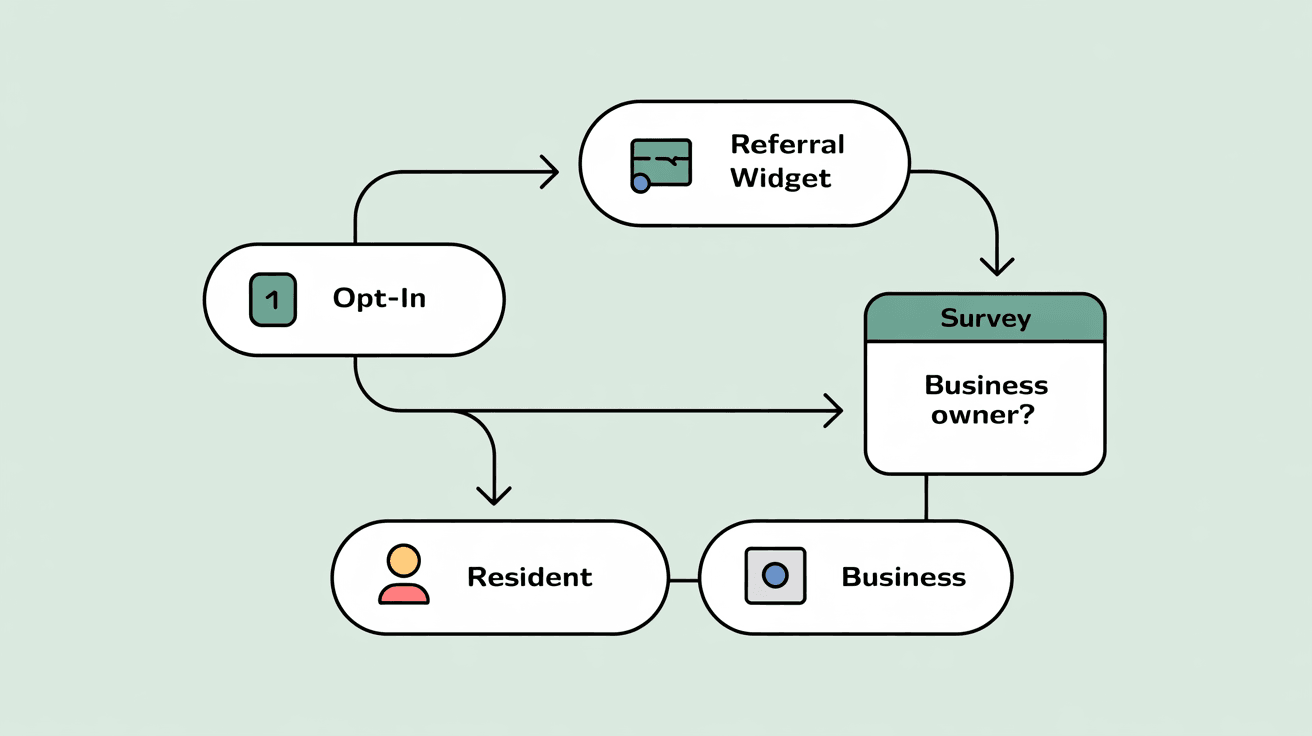
This new feature creates a powerful, step-by-step funnel that every new subscriber will go through. Here’s the flow Chad broke down on the tech call:
- Step 1: The Opt-In
A user visits your Letterman registration page and subscribes to your main newsletter.
- Step 2: The Referral Widget (Co-Reg)
The first thing that will pop up is the Referral Widget. This is your chance to get them to co-register for your other publications (e.g., "Vegas Fork," "Save the Doggy") and, most importantly, your client's newsletters.
- Step 3: The Micro-Survey
After the user clicks "subscribe" or "no thanks" on the widget, the Micro-Survey then opens up in the same window. This is where you segment. The pop-up will ask a simple, multiple-choice question:
- Which option best describes you?
- I'm a resident of the Summerlin area.
- I'm a business owner in the Summerlin area.
- I'm a business owner outside of the Summerlin area.
- Step 4: Automatic Tagging & Redirects
This is the magic. Based on their answer, Letterman will instantly:
- Apply a Tag: Automatically add a tag like "Business Owner" to their contact record in Global Control.
- Redirect Conditionally: Send them to a specific URL you've chosen for that answer.
- Step 5: The Final Thank You Page
If they check "resident," you can send them to your normal community thank-you page. But if they check "business owner," you can redirect them immediately to your private Facebook group for local business owners, a sponsor-intake form, or a page selling your ad services.
Why This Changes Everything
This new flow closes the loop on monetization. You no longer have to "hope" that business owners find your survey on a thank you page.
You are now proactively sorting every single subscriber the moment they sign up. You are building your two most valuable lists—your community and your potential clients, at the exact same time, on complete autopilot.
|

0 Comments
Join the conversation
Be the first to comment
Share your thoughts above.