How do we quickly design eye-catching local images for our publication without hiring graphic designers?
We use simple conversational commands inside our chat app to instantly build beautiful visual graphics for our local newsletters.
This method removes the slow back-end labor of using old layout platforms or searching through expensive stock photo warehouses for generic graphics.
We can look at the sudden changes happening in the local business market where business owners are completely stunned by basic digital layouts.
Chad shared a clear example during our calls about Conny attending an event with one hundred and fifty local hair stylists.
Those local salon operators were completely amazed when they were taught to drop pictures of clients into standard tools to make simple social media updates.
For us, these basic tricks are old news because we have been using advanced data systems for months.
However, the local shops in our town are still operating at a very basic level, which gives us a massive opportunity to look like a prominent media company right now.
We have a very short window to use these beautiful visual placements to capture the attention of our community before this technology becomes the global norm.
If we move quickly, we can establish our publication as the primary authority hub in our region.
What is the exact conversational script we type into the chat platform to generate these localized trend lists?
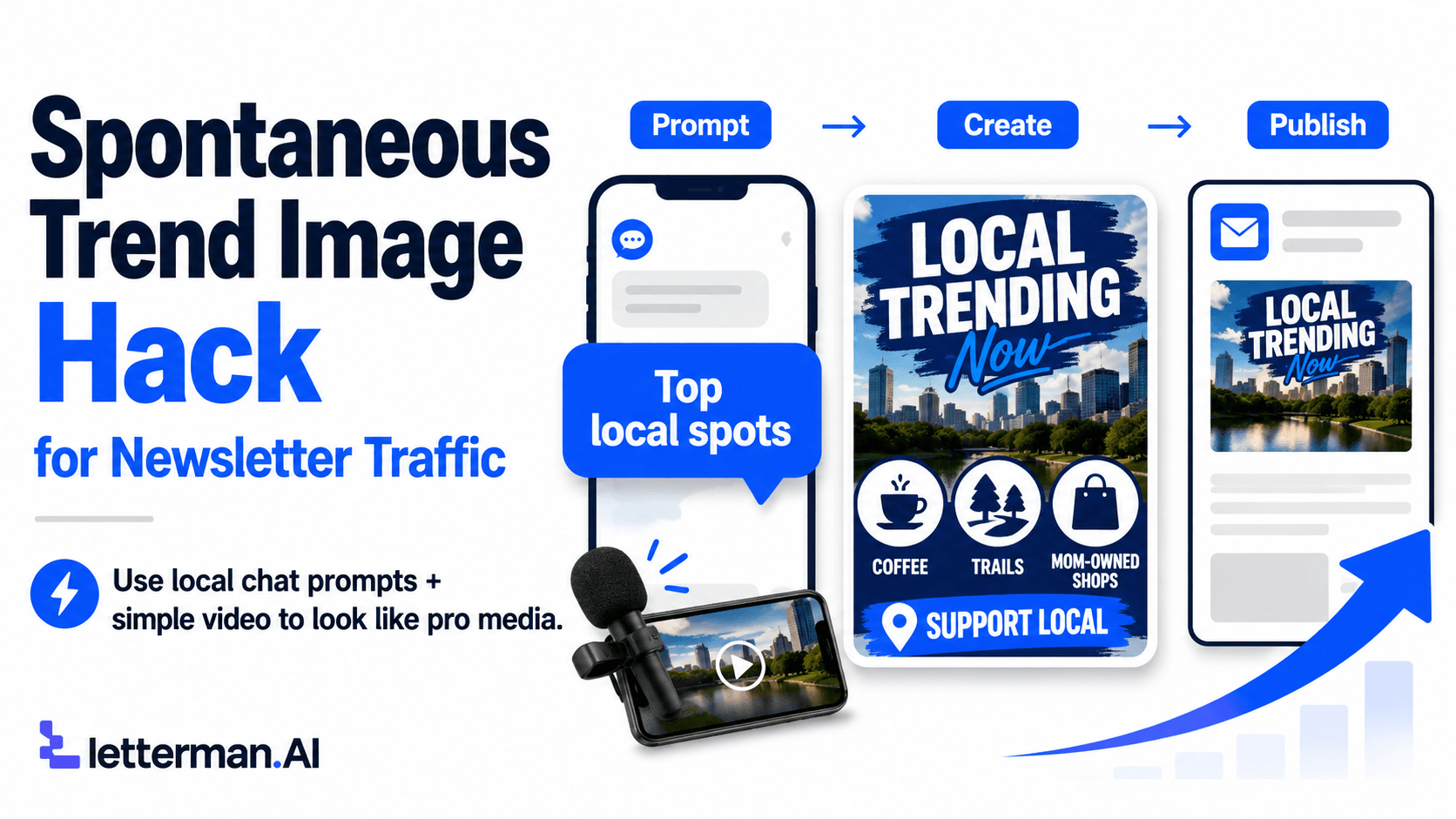
We open the ChatGPT application, set up a dedicated project for our town, and ask the app to list the most popular local activities or spots.
This conversational blueprint cuts out the old way of spending hours researching town details on search engines or guessing what our readers enjoy.
We can feed a targeted instruction into the system that tells the assistant exactly who we are writing for.
Chad showed us the exact string layout he used for our coordinated local media updates to map out an instant topic registry.
We can type this command directly into our project window: "I am writing for West Valley Shoutouts. Give me 25 things I can talk about, like the most popular dog paths, or buying trends."
The system reads our text and immediately drops out a clean list of twenty-five unique local ideas tailored specifically to our hometown area.
It handles all the local sorting for us, listing topics like hidden coffee shops, popular hiking trails, or top mom-owned businesses to support.
This immediate feedback ends the pain of writer's block because we have a massive bank of ideas generated for our town before we even start drafting.
How do we turn a text list of popular town spots into polished graphics ready for our Letterman updates?
We copy a single line from our text report, paste it right back into the same chat stream, and command the system to build a visual image.
This step cuts out the manual hassle of trying to crop photos or format layout dimensions by hand.
An image prompt inside the chat app works just like handing a detailed stencil and a matching color palette to a commercial spray-painter.
Instead of us standing over the canvas with a physical brush trying to get the details right, the app instantly sprays a perfect design onto our screen based on our text blueprint.
We can grab a specific topic like local coffee secrets and type a command like: "create an image for local mom-owned businesses to support, use a white background."
The system processes the text and instantly drops out a clean, high-end graphic featuring real local names like Published Coffee Shop or Sunrise Coffee.
We make sure to ask for a white background during our prompt step so that the final graphic blends cleanly with our text rows inside Letterman.
This approach ensures our graphics look like an integrated part of our newsletter pages rather than a separate, awkward advertisement flyer.
The Devs have fully updated the back-end formatting code inside our publishing tools to handle these images seamlessly.
This means we can drop these beautiful images right into our content cells without worrying about resizing errors or broken display layouts on mobile screens.
How do we use simple phone videos and a basic microphone to gather real material for our content banks?
We take our smartphones with us when we visit local shops and record short, unpolished video clips to feature inside our media system.
This raw recording habit gives us a constant stream of authentic, real-world media that sets our local publication far ahead of standard online text pages.
Chad showed us a fantastic physical tool to help us capture crystal-clear audio whenever we go out to eat or visit a town attraction.
We can grab a basic Maybesta clip-on microphone for less than ten dollars and plug it straight into the bottom of our phone.
Chad bought five of these cheap microphones at once, keeping one in his car, one in Conny's purse, and one in his office so he is always ready to record.
When we walk into a new Mexican restaurant or a local boutique, we clip on the mic and film a forty-second video showing the atmosphere.
We don't need a professional production crew or a script because our town audience craves authentic, unpolished neighborhood updates.
We can upload these short videos straight into our Letterman system updates, creating interactive lightboxes that our readers can click to play.
This combination of high-end chat graphics and raw phone video turns our newsletter into an indispensable community guide.
How do our spontaneous trend images tie directly back into our automated list collection setups inside Global Control?
We use these stunning visual updates to drive massive traffic to our subscription forms, which instantly triggers our list sorting rules inside Global Control.
This technical layout connects our beautiful front-facing content straight to our primary back-office data warehouse.
When neighbors see our ranked trend articles on the web, they fill out our Page Sprout registration forms to join our community lists.
The exact second they hit submit, our backend plumbing takes over, automatically applying a precise category tag to their profile inside Global Control.
This tag triggers our pre-scheduled autoresponder workflows, sending out localized follow-up sequences without any manual labor from us.
We can review our recent local business meetup blueprint to see how we use these same automated systems to fill our live town events.
By combining our visual trend graphics with our core software pipelines, we construct an unshakeable value fortress for our business expansion.
Let's make sure our media layouts are completely updated by checking our settings to keep our automated lists growing safely today.

0 Comments
Join the conversation
Be the first to comment
Share your thoughts above.